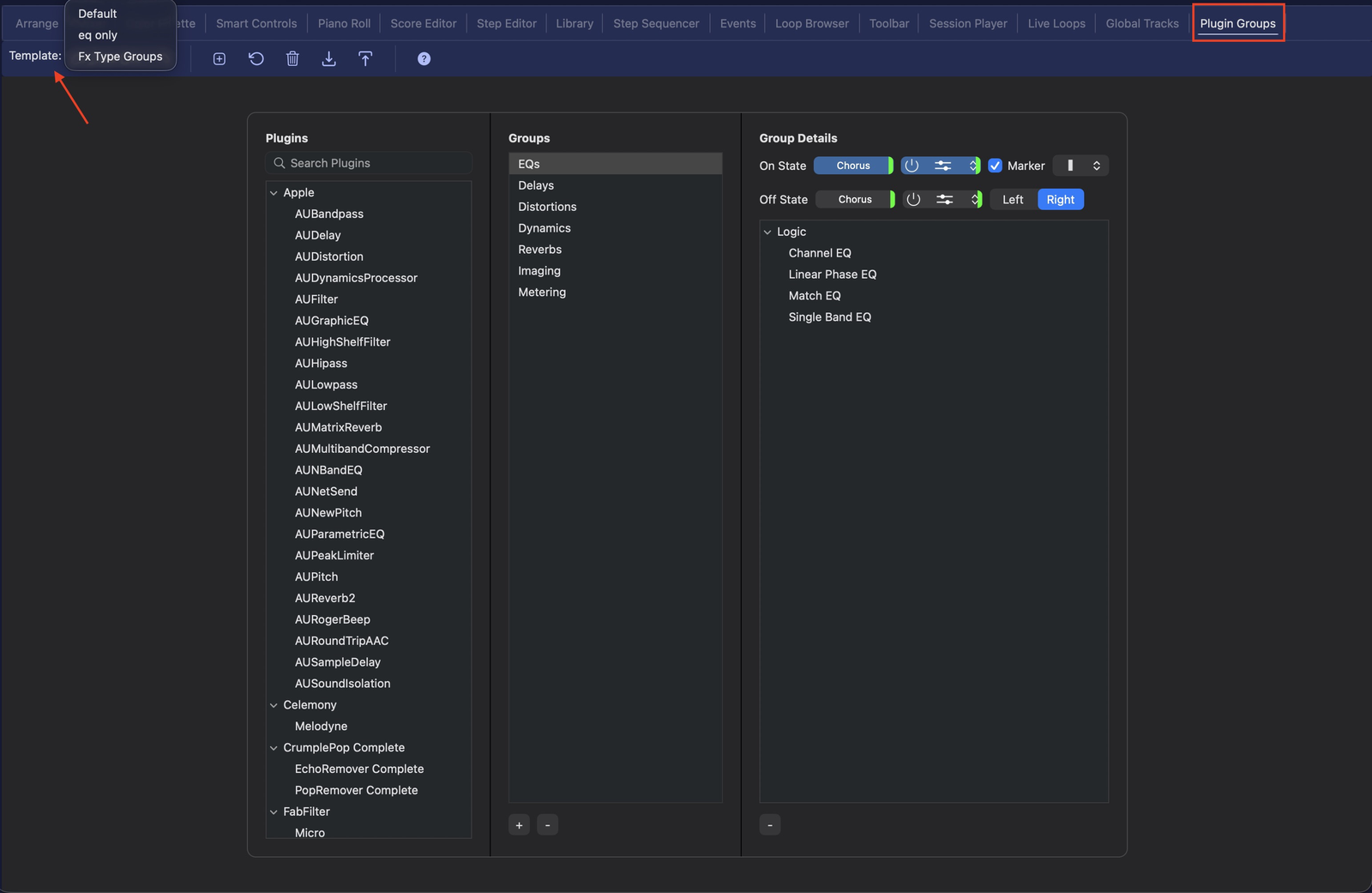
From the windows navigator choose Plugin Groups. Here you’ll find every installed plugin and can organise them into groups, then colour each group independently — so EQs, reverbs, synths and utilities are visually distinct in Logic’s plugin menus. Create your own grouping templates; much like the Color Palette, they are independent of the theme selected.
The Plugin Groups editor, with reusable grouping Templates
Creating groups
Assign plugins — drag installed plugins into logical groups (dynamics, EQ, reverb, instruments…).
Color per group — give each group its own colour, applied independently of the rest of your theme.
Marker option — the marker keeps your theme’s general plugin colour while adding a group symbol, so grouping never fights your overall look.
Identification options
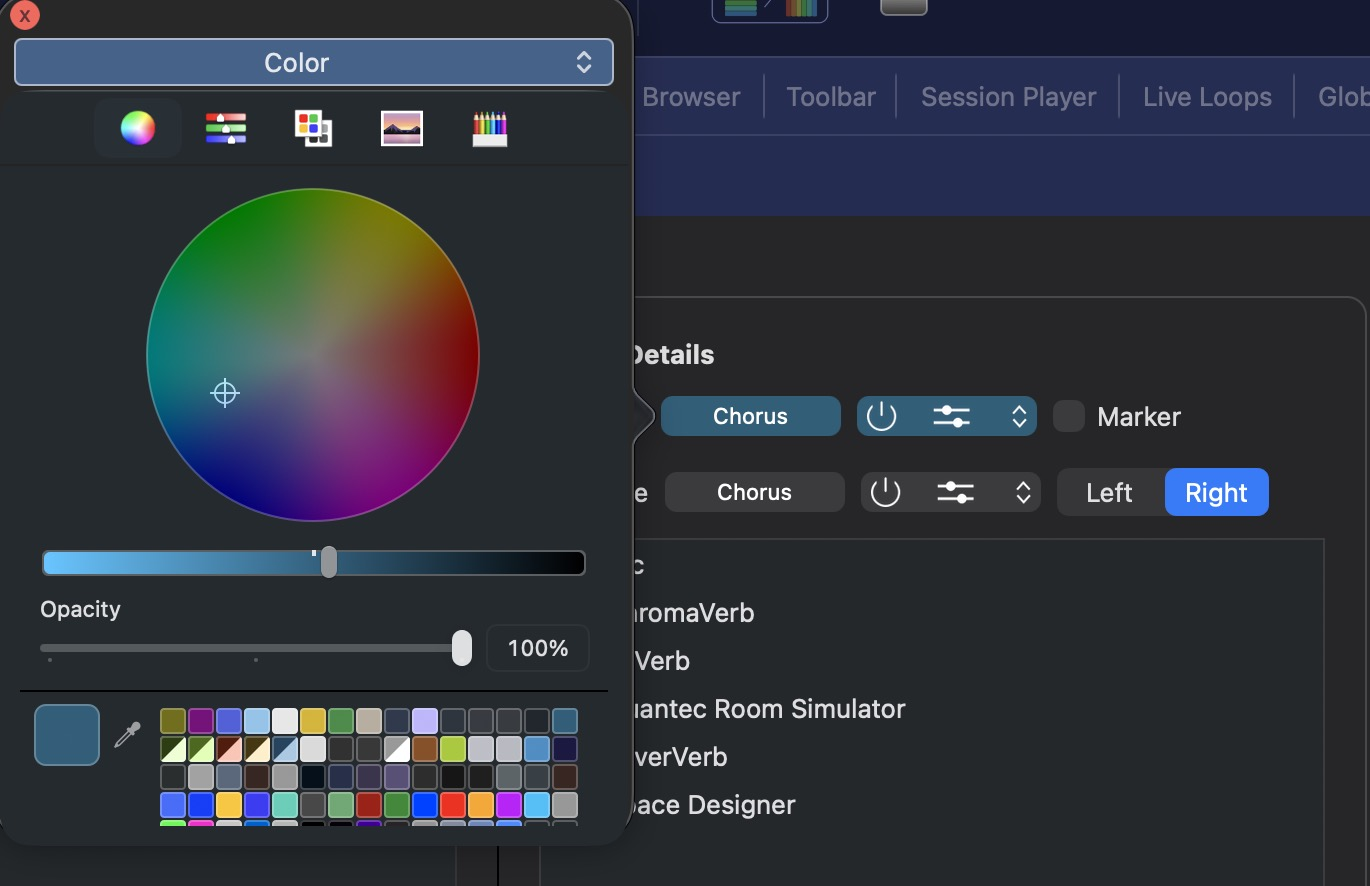
You can colour each group independently — either the complete plugin colour, or add a coloured marker on top.
Colour the whole plugin from the picker
…or add a marker in your choice of shape
The marker shows as a coloured tab on the plugin
Enable Marker and pick its shape
Tips
Keep group colours in the same family as their function (cool colours for time-based effects, warm for saturation/drive) so the logic is memorable.