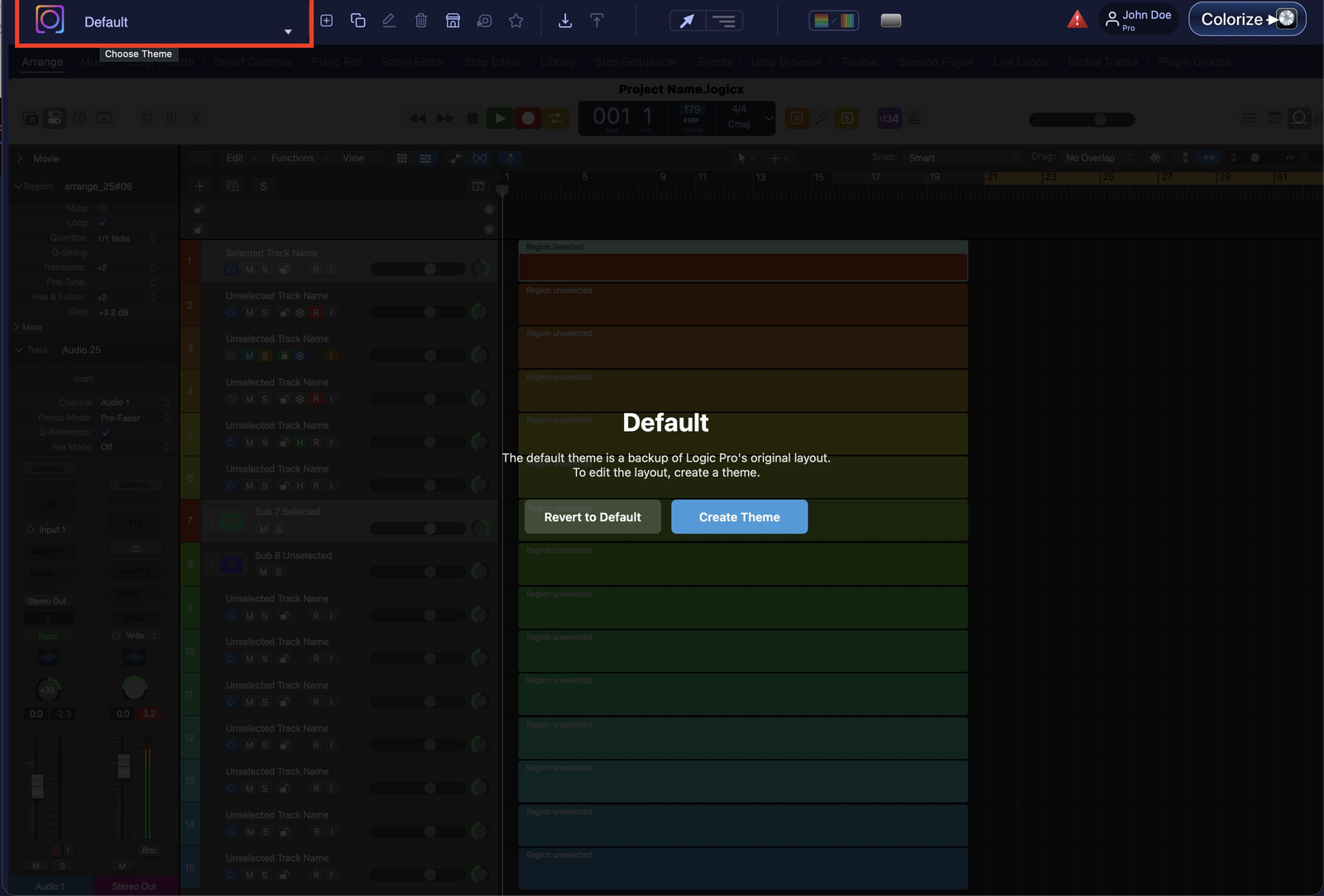
The Default theme is a backup of Logic Pro’s original interface — it’s there so you can always return to the stock look. Because it’s a safety net, the Default theme cannot be modified. Selecting it simply restores Logic’s original layout.
Selecting Default shows the backup notice — editing needs a theme
“My Theme” and new themes
The first time you launch LP Colorizer, a theme called My Theme is created for you automatically. It’s a blank slate — an exact copy of the Logic Pro interface — that you are free to edit. Creating a brand-new theme gives you the same fresh, blank-slate copy to build on.
My Theme — auto-created on first launch; an exact, editable copy of Logic’s stock UI.
New theme — starts from the same blank slate, ready for your changes.
Start from a bundle theme
Want to start closer to one of the built-in looks? Duplicate any theme from the Bundle menu. You get an editable copy of that bundled theme to tweak, instead of starting from scratch.
Editing needs a non-default theme
All of LP Colorizer’s editing features require a theme other than Default to be applied. That includes:
Use Track Colors
Color Palette changes
Extended Region Grid Lines
Marker Overlays
Tips
If a control seems greyed out or has no effect, check that you have My Theme (or another non-default theme) selected first — then colourize.